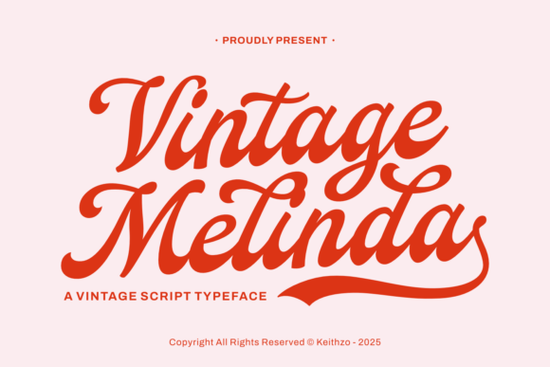
If you're searching for a script font that feels warm, nostalgic, and undeniably elegant, the Vintage Melinda Font deserves a closer look. It blends retro romance with hand-lettered charm, making it a strong choice for anyone working on wedding stationery, greeting cards, or branding projects that call for a personal, classic touch.
What makes Vintage Melinda different from other script fonts?
There's no shortage of script fonts out there. So what sets this one apart? It comes down to the details. Vintage Melinda was inspired by traditional calligraphy and mid-century design. The fluid letterforms have a hand-lettered quality that feels authentic not overly polished or digital. The transitions between letters are smooth, and the refined swashes add just enough personality without overwhelming the text.
Compared to fonts like Valentina Calligraphy, which leans more ornate, or Amellia, which has a lighter, more delicate feel, Vintage Melinda sits in a sweet spot. It's sophisticated but approachable. Elegant but not stiff. That balance makes it versatile enough for a wide range of creative projects.
What types of projects work best with this font?
Think about any design where you want to convey warmth, affection, or a sense of timeless beauty. That's where this script shines. Here are some specific uses:
- Wedding invitations and save-the-dates The tender curves and romantic feel are a natural fit for matrimonial stationery.
- Greeting cards Whether it's Valentine's Day, anniversaries, or heartfelt thank-you notes, the font adds a personal, affectionate flair.
- Branding for boutique businesses Bakeries, florists, candle makers, and similar small businesses can use it to create logos and packaging that feel curated and high-end.
- Print-on-demand products Mugs, tote bags, and wall art with short quotes or monograms look especially appealing in a vintage script style.
- Magazine layouts and editorial work Its "rustic sophisticated" aura works well for pull quotes, headers, and feature titles in lifestyle and fashion publications.
- Social media graphics Instagram posts, Pinterest pins, and story templates benefit from fonts that feel handcrafted rather than generic.
Can I access all the special characters easily?
Yes. Vintage Melinda comes with PUA encoding, which means every swash, ligature, and decorative alternate is accessible through standard tools. You don't need extra design software or a special character map. Just open your preferred application whether that's Adobe Illustrator, Photoshop, Canva, or even Microsoft Word and the full character set is available to you.
This is a practical detail that matters, especially if you're juggling multiple projects. If you've used fonts like Lasso Lore or Anytimes Font, you know how convenient PUA-encoded fonts are. No frustration, no workarounds.
Does it pair well with other fonts?
Absolutely. Script fonts usually need a supporting typeface for body text or secondary information. Vintage Melinda pairs nicely with clean sans-serifs for a modern contrast or with simple serifs to maintain a traditional feel. If you're building a font stack for a branding project, try combining it with a straightforward geometric sans-serif for product descriptions while letting the script handle headlines and logos.
For related projects that need a softer companion script, the Cute Dog Font offers a more playful alternative that could complement Vintage Melinda in a multi-font design system.
Is this font suitable for commercial use?
Yes. When you download from Creative Fabrica, the licensing covers both personal and commercial projects. That includes print-on-demand platforms, client work, and products you sell directly. Always double-check the specific license terms on the product page to make sure your intended use is covered, but for most standard creative and commercial applications, you're good to go.
Quick checklist before you start designing
- Define your project type Is it a wedding invite, a logo, a product mockup? Knowing this helps you use the font's swashes and alternates intentionally.
- Choose a pairing font Pick a clean complementary typeface for any body text or secondary information.
- Test at different sizes Script fonts can lose legibility at smaller sizes. Make sure your text reads clearly on both screen and print.
- Use the full character set Explore the swashes and ligatures. They're there for a reason and can add real polish to your final design.
- Check licensing Confirm the license covers your specific use case before publishing or selling.
Tip: Start by typing out a few sample phrases in your design tool and experiment with alternate characters. You'll quickly discover combinations that feel right for your project.
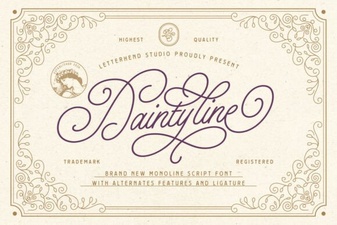 Daintyline Font: Elegant Typography for Creative Projects
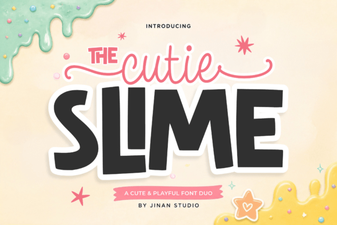 Discover the Adorable Cutie Slime Duo Font for Creative Design
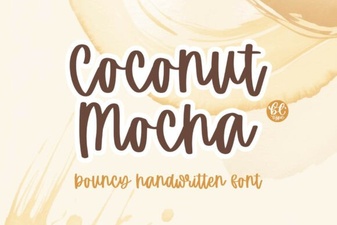 Coconut Mocha Font: a Creamy Handwritten Typeface for Designers
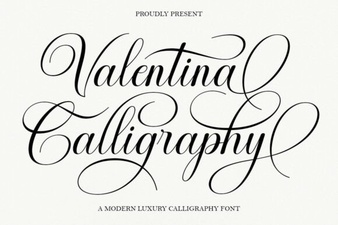 Valentina Calligraphy Font: Elegant Script for Creative Projects
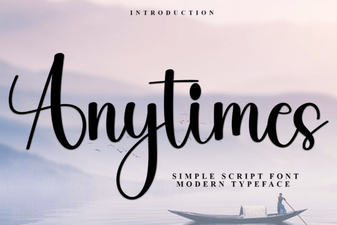 Anytimes Font: Creative and Versatile Design Ideas
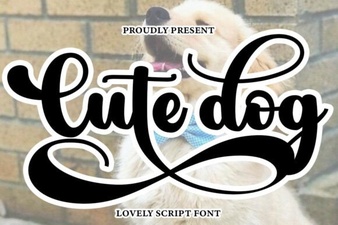 Cute Dog Font Script Font Free Download